
Frontend Development for Beginners
Learn what frontend developers actually do, how HTML, CSS and JavaScript work together, which modern tools matter and what you should learn first.
What is frontend development?
Frontend development is the work of building the part of a website or web application that people see and use. It includes the page layout, text, images, menus, buttons, forms, animations and the way a screen adjusts to different devices.
But frontend work is not only about making a page look attractive. A good frontend should also be easy to understand, fast to load, simple to use with a keyboard, and clear on both a small phone and a large monitor.
What a user sees
Colours, spacing, cards, navigation, forms, messages and content.
What a user does
Clicks, searches, filters, signs in, submits information and receives feedback.
Simple example: On a shopping site, the frontend shows products, lets you change quantity and displays the cart. The backend later checks stock, calculates the final order and processes payment.
If frontend, backend and database are still new terms, read our complete website and app development guide first.
How does the browser create a web page?
A frontend developer writes files. A browser such as Chrome, Firefox, Safari or Edge reads those files and turns them into the page you see.
Browser receives the files
HTML creates the structure
CSS controls the appearance
JavaScript adds behaviour
The browser also gives developers useful features called Web APIs. These can help with network requests, location, audio, video, local storage, notifications and much more.
HTML, CSS and JavaScript work together
Every frontend developer needs these three foundations. Libraries and frameworks still build on top of them, so skipping the basics usually creates confusion later.
HTML gives content structure
HTML tells the browser which content is a heading, paragraph, image, link, list, table or form. Meaningful HTML also helps accessibility and search engines understand the page.
CSS controls layout and style
CSS controls colours, type, spacing, borders, grids, animations and responsive layouts. Flexbox and CSS Grid are two important tools for arranging content.
JavaScript adds behaviour
JavaScript responds to clicks, changes content, validates forms, talks to APIs and updates a page without reloading everything.
One small example
This simple button contains all three layers: HTML creates it, CSS styles it and JavaScript decides what happens after a click.
<button id="welcomeButton">Start learning</button>

button { background: #147ef0; color: white; }

welcomeButton.addEventListener("click", () => {
  alert("Welcome to frontend development!");
});
Where does TypeScript fit?
TypeScript adds checks to JavaScript that can catch some mistakes while you write code. It is widely used in larger frontend projects, but a beginner should understand normal JavaScript first.
What does a frontend developer do?
The exact work changes from company to company. A frontend developer may receive a design from Figma, build the screens, connect them to an API and test the final experience.
In a smaller company, one person may handle most of these tasks. In a larger team, work may be divided between UI developers, frontend engineers, accessibility specialists and design-system teams.
Libraries, frameworks and styling tools
As an application grows, developers need a clear way to organise screens and reuse parts such as buttons, forms and product cards. Libraries and frameworks provide tested patterns for doing this.
Important: learn JavaScript before choosing a JavaScript framework. React, Vue, Angular and Svelte do not replace JavaScript-they help you organise and use it.
| Technology | What it is | Helpful context |
|---|---|---|
| React | A JavaScript library for building interfaces from reusable components | Large ecosystem and commonly used for interactive applications |
| Vue | A progressive JavaScript framework | Often feels approachable and can be adopted gradually |
| Angular | A complete web application framework | Provides many built-in tools and a structured approach for larger teams |
| Svelte | A compiler-based UI framework | Offers a concise way to build reactive interfaces |
What are Next.js, Nuxt and SvelteKit?
They are application frameworks built around React, Vue and Svelte. They add features such as routing, page rendering, data loading and production setup. You will understand them more easily after learning their base technology.
How can CSS be organised?
Plain CSS
The foundation. Learn it before depending on another styling tool.
Tailwind CSS
Uses small utility classes to build custom interfaces quickly.
Bootstrap
Provides a ready-made grid and interface components.
There is no framework you must learn forever. Choose one that matches your learning goal and local opportunities. Strong HTML, CSS and JavaScript skills make it much easier to change tools later.
Tools frontend developers use every day
| Tool or skill | What it helps you do |
|---|---|
| Code editor | Write and organise code; Visual Studio Code is one common choice |
| Browser developer tools | Inspect layouts, test screen sizes and find errors |
| Git and GitHub | Track changes, restore work and collaborate with a team |
| npm or pnpm | Install and manage packages used by a project |
| Vite | Start and build modern frontend projects quickly |
| Figma | Read designs, inspect spacing and understand reusable components |
| Terminal basics | Run project commands and work with development tools |
| Testing tools | Check that screens and user flows continue to work |
Do not try to master every tool before building. Add them as your projects need them. Git and browser developer tools should be introduced early because they help with almost every project.
How does frontend connect with backend?
A frontend often receives information from an API. An API is a defined way for two parts of an application to communicate.
User searches for a course
Frontend calls the API
Backend returns matching data
Frontend shows the results
Frontend developers should understand HTTP methods, JSON, loading states, error messages and basic authentication. They do not need to become backend experts, but they should know what happens across the connection.
Continue with our backend development guide, explore the Backend Development course, or see how every layer connects in the Full-Stack Development course.
What makes frontend work good?
A page can look polished and still be difficult to use. Professional frontend work considers the whole experience.
Responsive
The layout works across phones, tablets, laptops and large displays.
Accessible
People can use it with keyboards, screen readers and different abilities.
Fast
Images and code are handled carefully so the main content loads quickly.
Clear
Buttons, forms, errors and next steps make sense without extra explanation.
Also learn basic security habits: do not trust user input, do not place secret keys in frontend code, and understand that hiding a button is not the same as protecting an action.
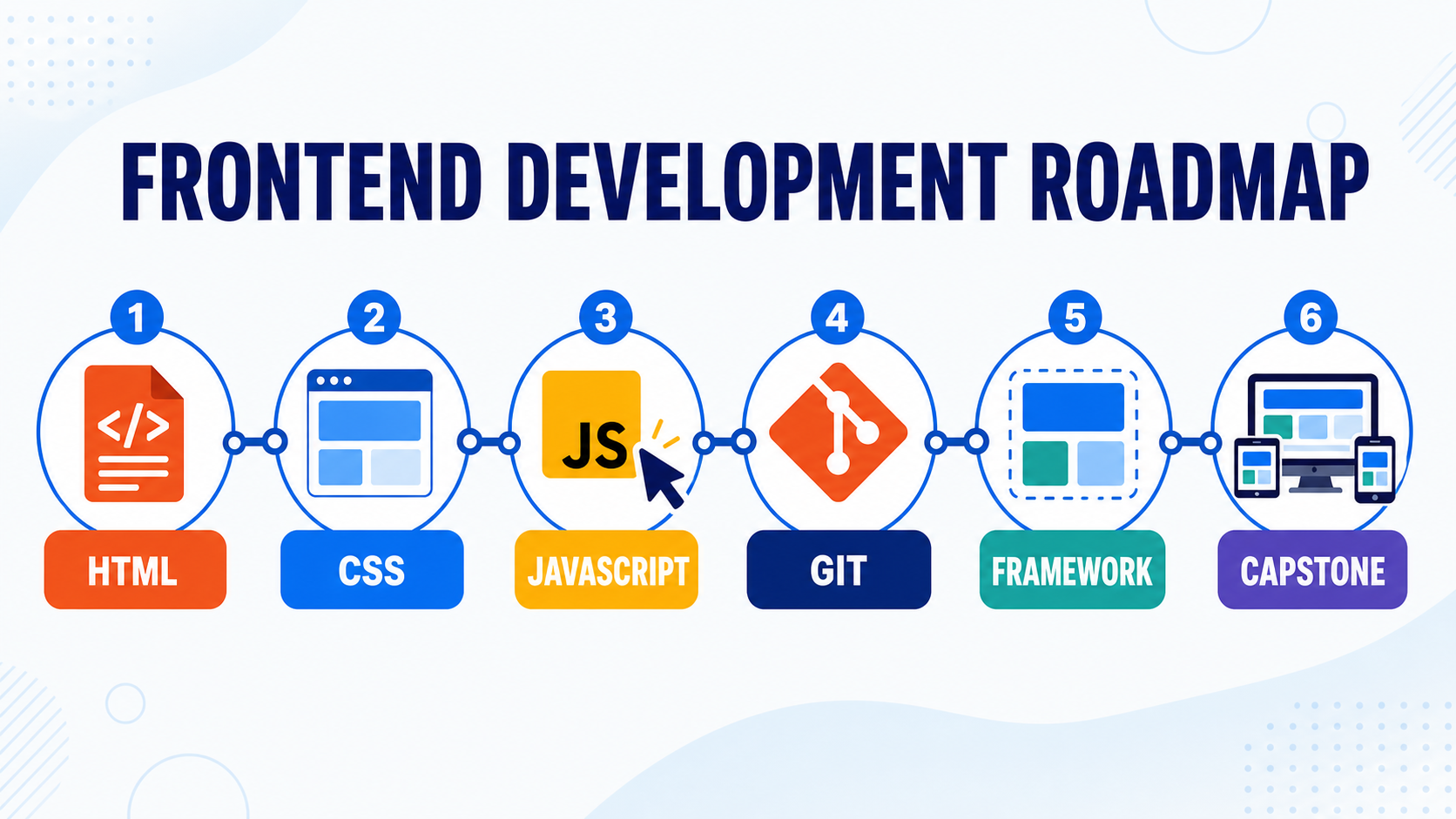
Frontend development learning roadmap
The goal is not to finish a list as fast as possible. At each stage, build a small project that proves you can use what you learned.
Understand the web
Browsers, URLs, files, HTTP and how a page reaches a user.
Learn semantic HTML
Headings, links, images, lists, tables, forms and meaningful page structure.
Learn practical CSS
Box model, spacing, typography, Flexbox, Grid and responsive layouts.
Learn JavaScript fundamentals
Variables, functions, arrays, objects, conditions, loops and debugging.
Work with the page and APIs
DOM events, forms, fetch, JSON, loading states and errors.
Use Git and deployment
Track code, work with GitHub and publish a project online.
Learn one framework
Components, state, routing and forms using React, Vue, Angular or Svelte.
Build a strong capstone
Plan, build, test and deploy one complete application you can explain.
Frontend projects for each stage
| Stage | Project idea | What it practises |
|---|---|---|
| HTML basics | Personal profile page | Semantic structure, images, links and lists |
| CSS basics | Responsive business website | Typography, spacing, Flexbox, Grid and mobile layout |
| JavaScript basics | Quiz or expense calculator | Events, conditions, arrays and updating the page |
| API practice | Weather or country finder | Network requests, loading states and errors |
| Framework practice | Task manager | Components, state, forms, filters and storage |
| Capstone | Student placement portal | Design, API integration, authentication and deployment |
For your portfolio, explain the problem, your decisions, the difficulties you faced and what you improved. A smaller finished project is usually more useful than a large unfinished clone.
Final-year students can also explore IINDC’s project and internship guidance.
Frontend development questions beginners ask
Can I learn frontend development without a computer science degree?
Yes. Employers and clients often care about practical skill, problem-solving and the work you can show. A degree can help in some hiring paths, but it is not the only way to learn frontend development.
Should I learn Bootstrap or Tailwind CSS first?
Learn normal CSS first. After that, either tool can help. Bootstrap provides ready-made components, while Tailwind gives utility classes for creating more custom designs.
Should I learn React before JavaScript?
No. React uses JavaScript. Learn variables, functions, arrays, objects, events, DOM basics and asynchronous JavaScript before going deep into React.
Is frontend only about design?
No. Visual quality matters, but frontend development also involves programming, data, accessibility, performance, browser behaviour, testing and working with APIs.
Do frontend developers need to know backend development?
They do not need to be backend specialists, but understanding APIs, HTTP, authentication and databases makes collaboration much easier and helps with debugging.
Can AI replace learning HTML, CSS and JavaScript?
AI can draft code and explain errors, but you still need the foundations to judge whether the result is correct, accessible, secure and suitable for the project.
Useful official references
Documentation becomes an everyday part of development. These official resources are good places to check details and continue learning:
Want a clear path into frontend development?
Learn HTML, CSS, JavaScript, modern frameworks, Git and deployment through practical projects with mentor guidance.
IINDC Editorial Team
Practical technology guidance reviewed by IINDC trainers.